LoRA training
Train a Z-Image LoRA locally
Z-Image is distilled whichever way you come at it, so the trainer offers two ways around that rather than one. It is the least fussy of the three on disk: there is no 4-bit path and it does not need one, because bf16 already fits the cards people actually have. About 13GB at 512px, measured on both an L40S and a Tesla T4.
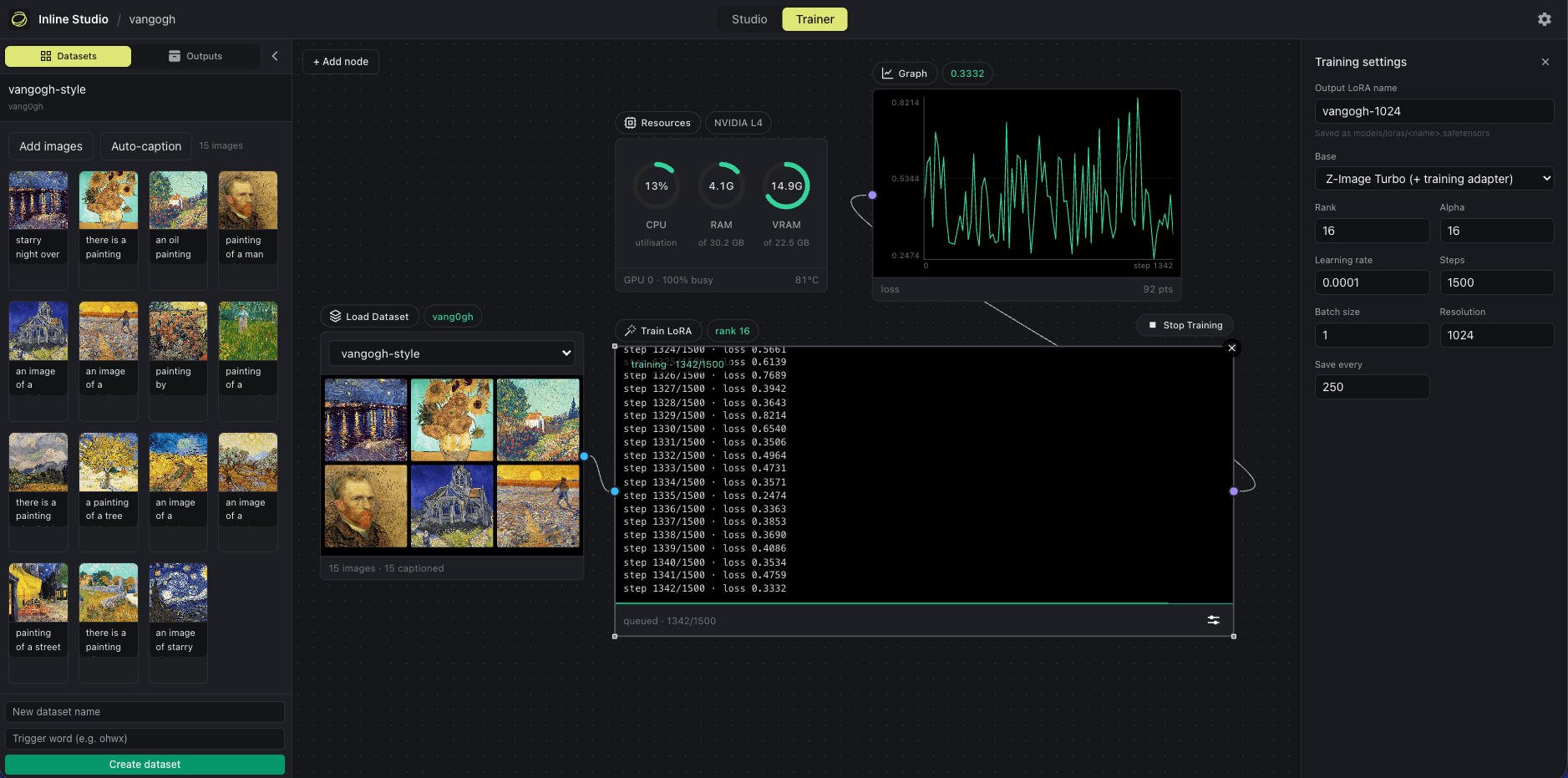
The Trainer canvas. The run pictured is a Z-Image LoRA, and the graph is the same shape for every architecture.
Which base to train on
Pick the architecture in the Trainer's Adjust panel, then a base within it. Training directly on a step-distilled checkpoint breaks the distillation down, so every architecture offers a way around that.
Turbo plus training adapter
Fuses a de-distillation adapter into the base for the duration of the run and drops it when the LoRA is saved, which preserves the 8-step speed. Drop the ostris Z-Image training adapter in models/loras/: any filename containing the word adapter is detected automatically, or point INLINE_ZIMAGE_TRAIN_ADAPTER at a specific file. Keep runs short, since the adapter slows the breakdown rather than preventing it.
De-Turbo
Trains without an adapter and needs no extra download. Reach for this when you would rather not manage another file, or when a run is long enough that the adapter's slow breakdown would start to show.
What the trainer needs on disk: the Z-Image Turbo checkpoint a generate node already fetched. Nothing is downloaded behind your back, and a run that is missing a file stops and names it.
Z-Image LoRA training VRAM, measured
Peak allocation at 12 steps, rank 16, batch 1, with gradient checkpointing on. The number is torch.cuda.max_memory_allocated, so leave headroom for the CUDA context and allocator slack.
| Configuration | L40S (46GB) | T4 (15GB) |
|---|---|---|
| 512px, De-Turbo | 13.1GB | 13.4GB |
| 512px, Turbo plus adapter | 13.1GB | 13.4GB |
| 1024px, De-Turbo | 14.9GB | out of memory |
| 1024px, Turbo plus adapter | 14.9GB | out of memory |
The two base modes peak identically, because a training adapter is fused into the base before training starts and costs nothing on top. Z-Image has no 4-bit path and does not need one: at about 15GB at 1024px, bf16 already fits a 24GB card. A 16GB card trains at 512px but not at 1024px.
See the full matrix in the README, or compare all three architectures.
How long a run takes
- On an L40S the 12-step benchmark takes 85s at 512px. The same work takes 285s on a T4, because Turing has no native bf16 and runs it about four times slower.
- Z-Image is the quickest of the three to iterate on at 512px, which pairs well with the advice to keep adapter runs short.
Z-Image LoRA training FAQ
How much VRAM does a Z-Image LoRA need?
About 13GB at 512px, measured at 13.1GB on an L40S and 13.4GB on a Tesla T4. At 1024px it needs about 15GB, which fits a 24GB card but runs out of memory on a T4. Both base modes peak at the same number.
Turbo plus adapter, or De-Turbo?
Turbo plus adapter if you want to keep the 8-step speed, since the adapter is dropped when the LoRA is saved. De-Turbo if you would rather not download anything extra. They cost the same in VRAM. The one caveat is that the adapter slows Z-Image's distillation breakdown rather than preventing it, so keep adapter runs short.
Do I need a 4-bit base for Z-Image?
No, and there is not one. Z-Image trains in about 15GB at 1024px, so bf16 already fits the cards people have. Base precision as a setting only appears for Krea 2 and FLUX.2, and it only actually pays off on Krea 2.
Train your first Z-Image LoRA
Free and open source. Runs on macOS, Windows, and Linux.