Our own diffusion engine · train LoRAs locally · runs on your GPU
One canvas.The whole film.
We built this after wasting too many afternoons hunting for the workflow and the assets that made a shot work. Now every shot keeps every take, the project saves itself as you go, and every image carries the graph that made it.
Generating the shots, training your own look, and cutting the finished video all run on your own machine. One command starts it.
Python 3.11+ · macOS, Windows, Linux. Supports NVIDIA and AMD GPUs.No installer yet, we're a small team.
“This is the part of open source you can’t fake. Someone wanted a tool that didn’t exist, built it on us, and gave it to everyone.”
“The frame/take model solves a real problem, especially for anyone doing narrative work where you’re juggling multiple versions and need to track what worked. Node graphs get messy fast once you’re thinking in sequences rather than single images.”
“Assets, scenes, characters, cars, storyboards, final shots: organized in a versioned visual pipeline. Not just generation. Production structure.”
“It’s a neat concept for a process that you can clearly iterate on to improve. Seems way more useful than something like the Director node because you have way more options to think about the whole project.”
Workflows
Import a graph and generate on the first run
Each one opens on your canvas with its nodes wired and the models it needs listed. Swap the inputs and run it.
Minimax H3: Consistent face, body & cloths via reference identity
Guild your character with consistent face, body & cloths. Add upto 9 reference image & port these into face, body &…
Generate consistent characters via reference identity with Minimax H3
Unified consistent character(.char) across videos with Minimax-H3. Drop 2-5 image, describe your character & get the…
Minimax H3: Pixel art short video lora training locally
This workflow focuses on training Minimax-H3 video lora training. Sample dataset & guide is included.
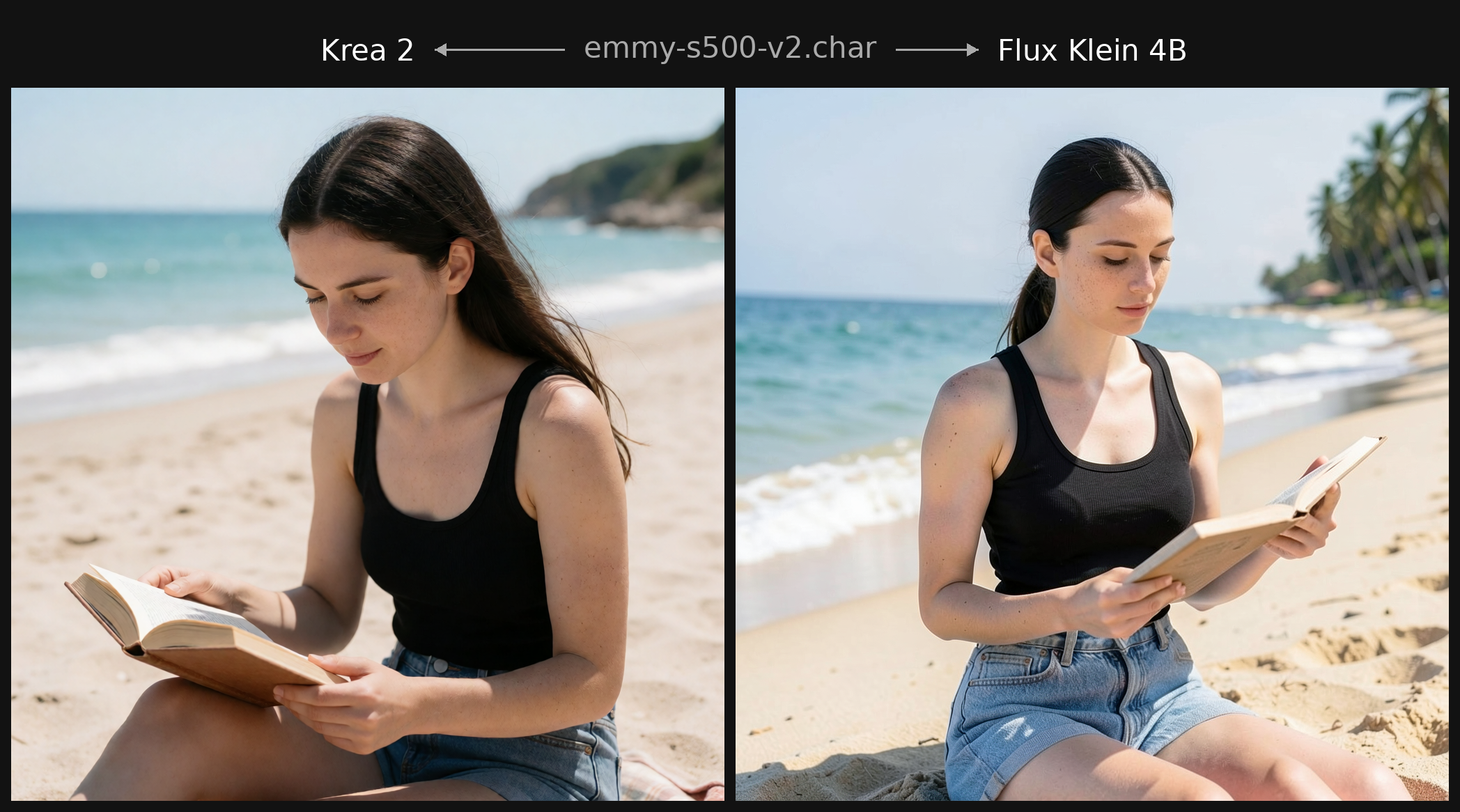
Flux 2 + Krea 2: Multi model portable consistent characters(Training only)
Multi model consistent character generation for combining Krea2 & Flux family into one .char. Drop 2-5 image, describe…
How it works
The one idea everything else follows from
A workflow file per shot is fine until you have forty of them. One canvas that holds the whole pipeline is a different kind of tool. Read this section and you can skip the rest of the page.
A · Takes
Regenerating doesn't destroy
Every render becomes a take under a shot. Compare them, promote one, roll back. The graph stays the same size no matter how many attempts you burned getting there.
B · Sequences
Shots in order, not scattered
Every shot wires into the next, so the links are the sequence. Follow them across the canvas and you can read the whole thing in order: what feeds what, and which take carried forward.
C · One process
The engine lives in the app
Our own diffusion engine runs in-process. We got tired of babysitting a second server and of backends drifting out of step with the editor, so we brought it inside.
Character consistency
Portable characters, across models
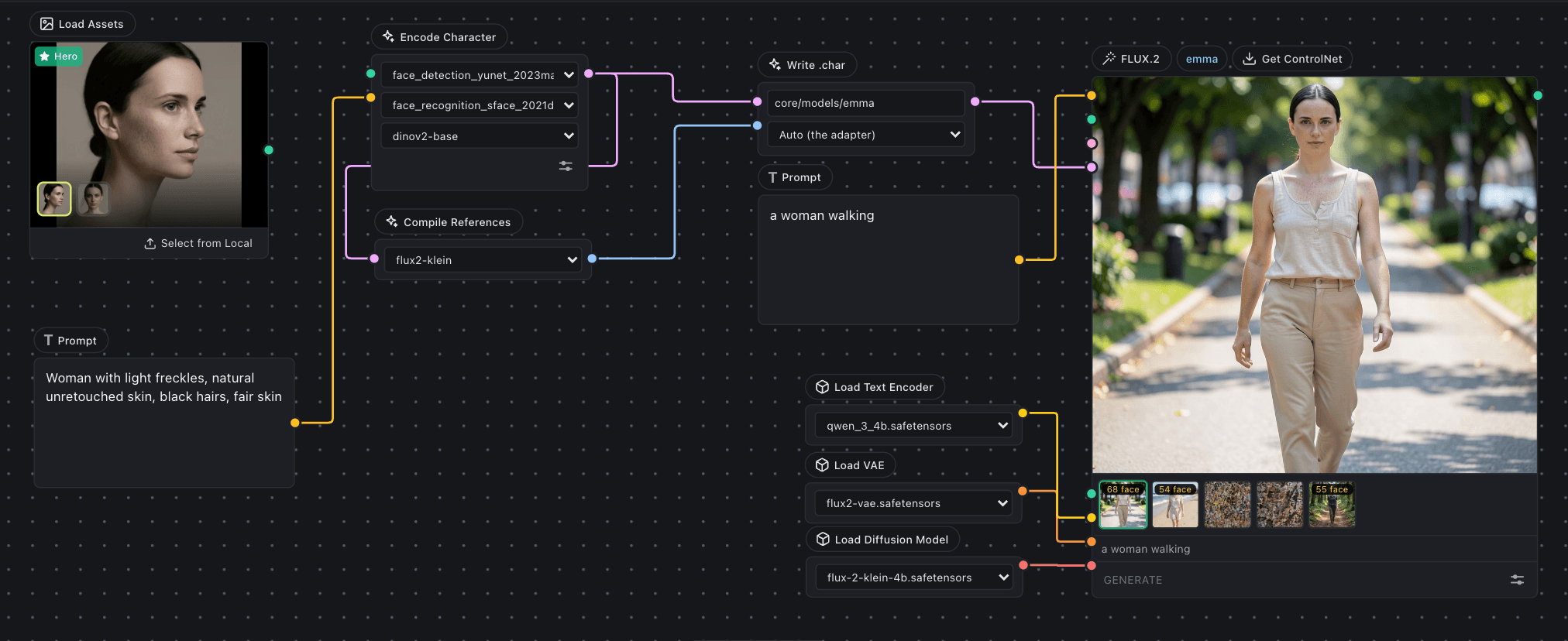
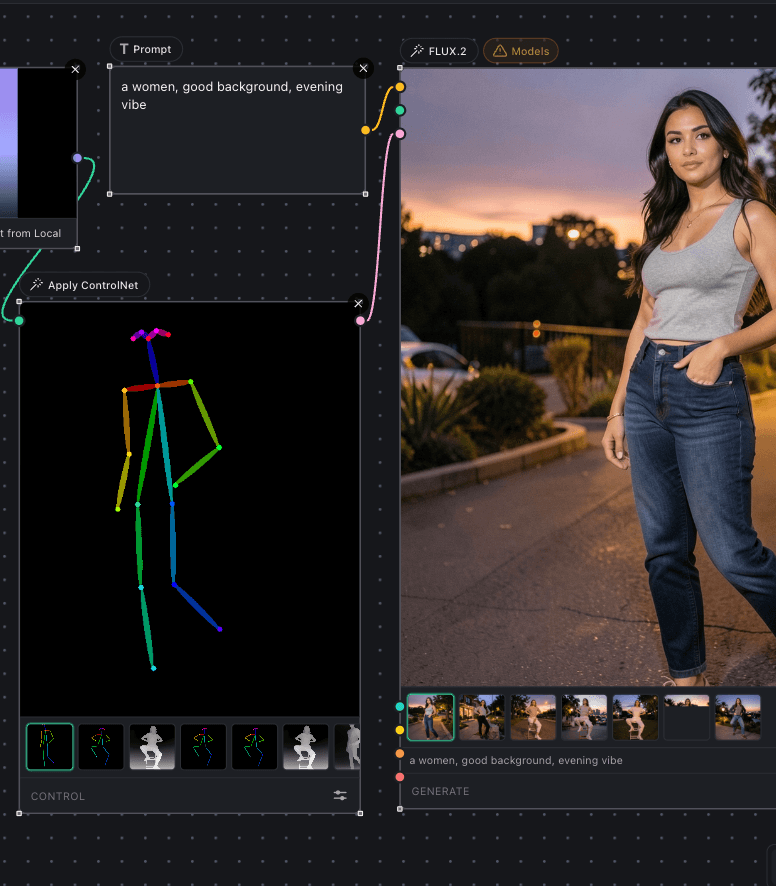
A character (.char) is a small file. Your photos are standardised once and stored with an SFace face signature and a DINOv2 subject signature. FLUX.2 reads those references directly, with nothing to train. Krea 2 has no reference channel, so it takes a LoRA trained from the same photos. One file carries both.
The references
Generated from them, one prompt each
City street, low angle
Cafe window, overcast
Lakeside, open water
Park, open shade
Street, mid-stride
Office, window light
One character, six prompts, no images re-attached. On FLUX.2 the references ride in its own multi-reference channel, so there is nothing to train and nothing extra to install.
Video training, locally
Train clips on your own GPU
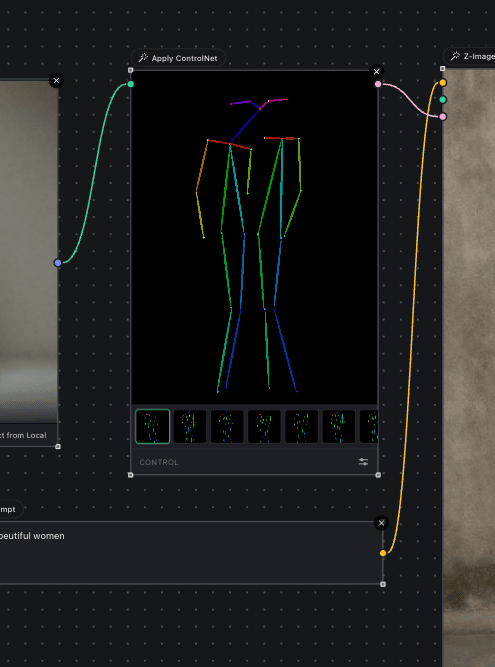
Most LoRAs learn a style. A Control LoRA learns a transform: you give it pairs of clips, a reference and the result you want from it, and it learns to carry one into the other. Train it on your own GPU with LTX-2.5, then drive a generation from an edge map, a depth pass or a pose track.
Pairs from Lightricks' Canny Control dataset, where each reference is an edge map of its target. Your own pairs work the same way, and the two halves need to line up frame for frame. Training an LTX-2.5 LoRA.
Trained with Inline Studio
Krea 2 LoRA for realistic skin texture
Our first published LoRA brings back real pores, fine hair, and natural texture across skin tones, ages, and lighting. Free to download, with the dataset it trained on.
- Base: Krea 2 RAW, carries over to Turbo
- Rank 16, full scope (attention + feed-forward)
- 1024px, 1500 steps, learning rate 1e-4
- 26 image and caption pairs
- Trigger: inline-skin-lora
- Downloads
- 1.4k
- Likes
- 45
Click to zoom
Local generation
Generate locally, built in
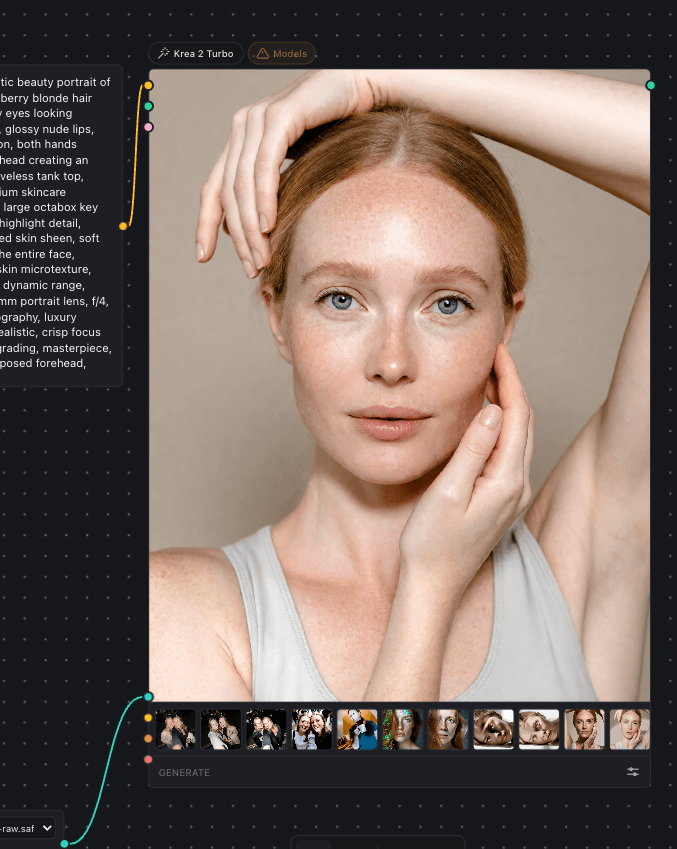
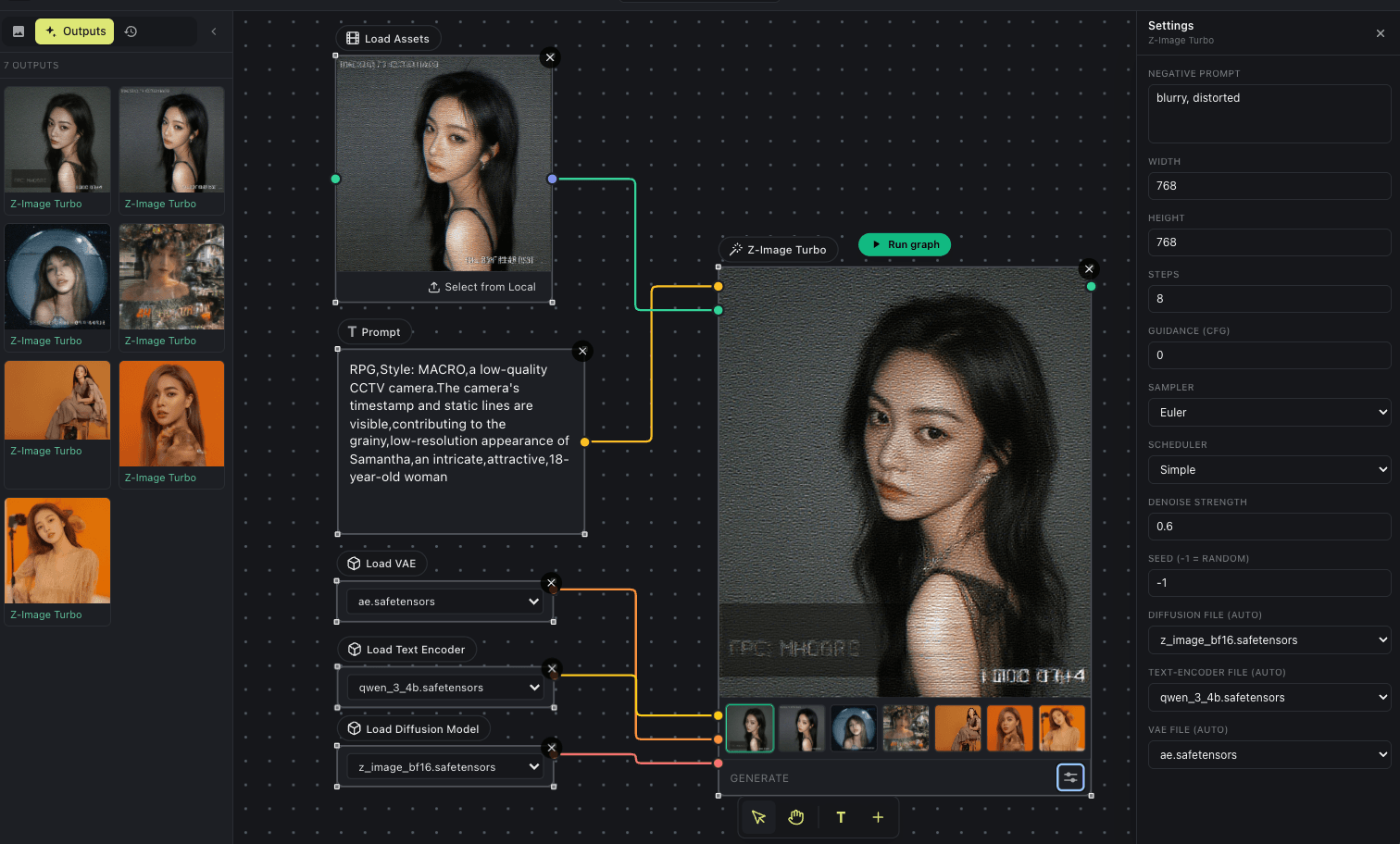
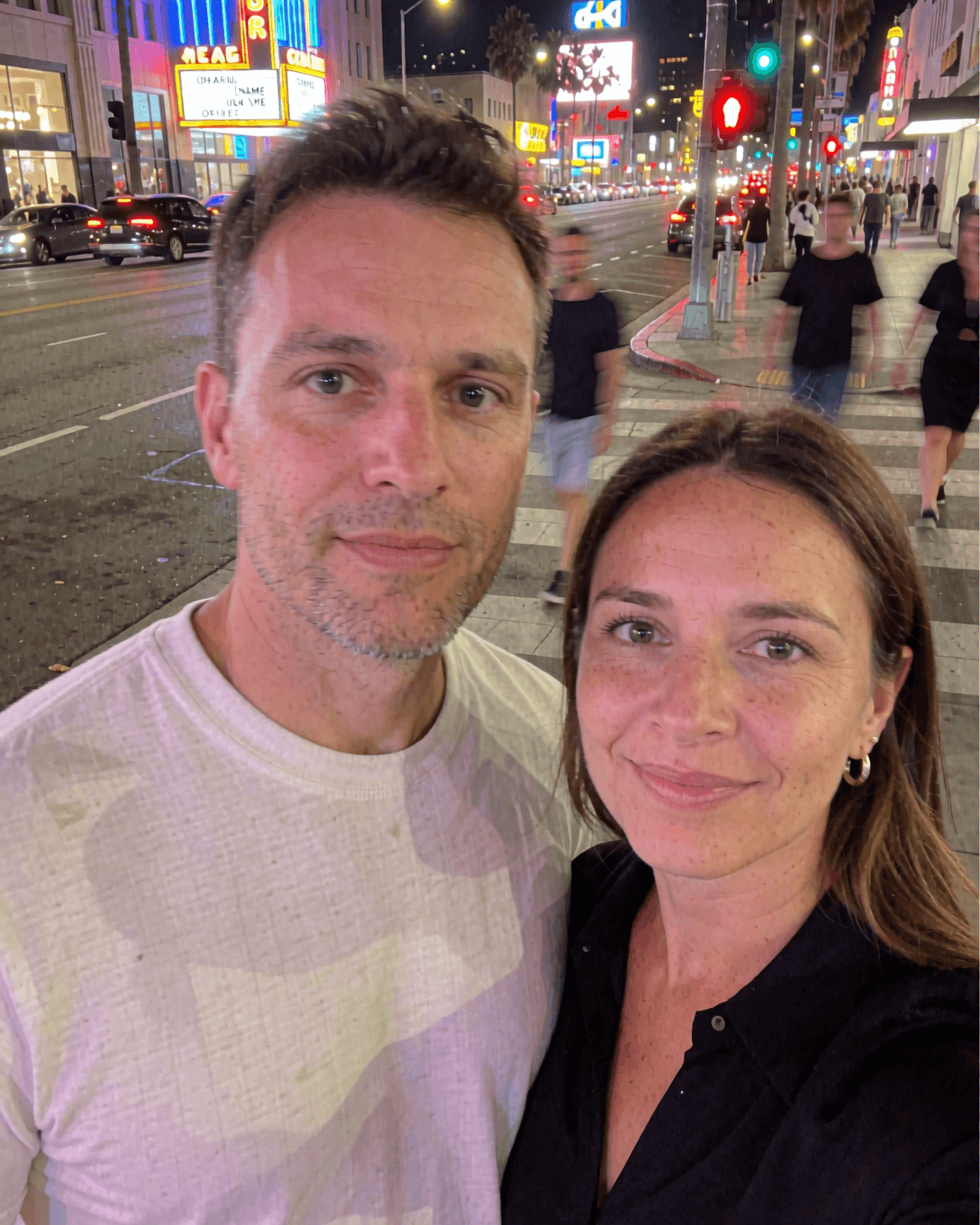
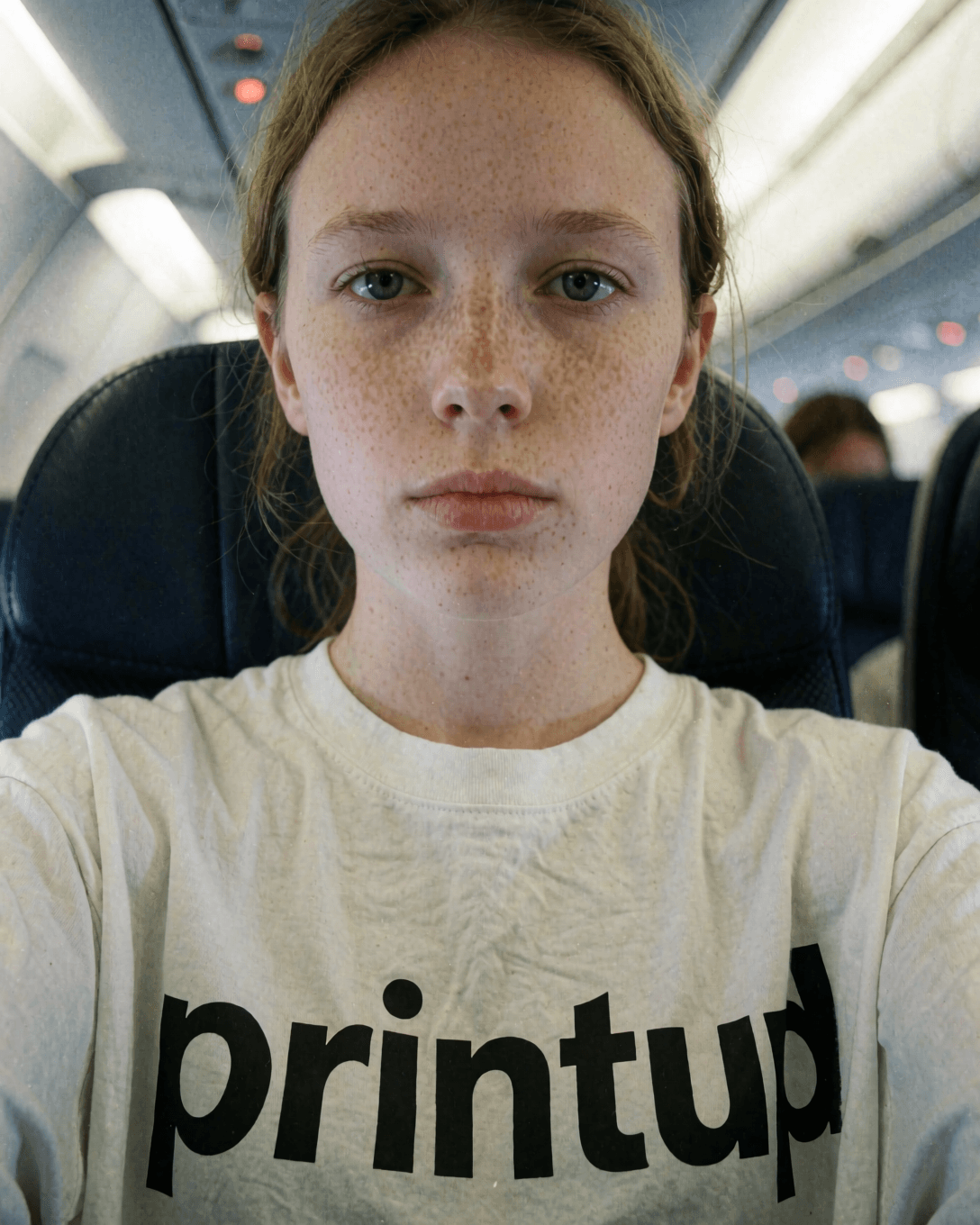
Inline Core is a from-scratch generation engine built into Inline Studio. No account, no external server, no cloud. Drop a Z-Image Turbo, FLUX.2 or Krea 2 node, wire a prompt, and hit Run. That is one node, with no loader, sampler, or VAE wiring, generating on your own GPU. Krea 2 ships as two models that work together: Turbo for fast 8-step images and RAW for maximum quality, and any LoRA you train applies to both. Video gets a section of its own below. Core owns the whole backend: it serves the web UI, runs the models, keeps the project database, and drives the timeline, all as a single Python process. Add a LoRA loader node to bring your own LoRA models.
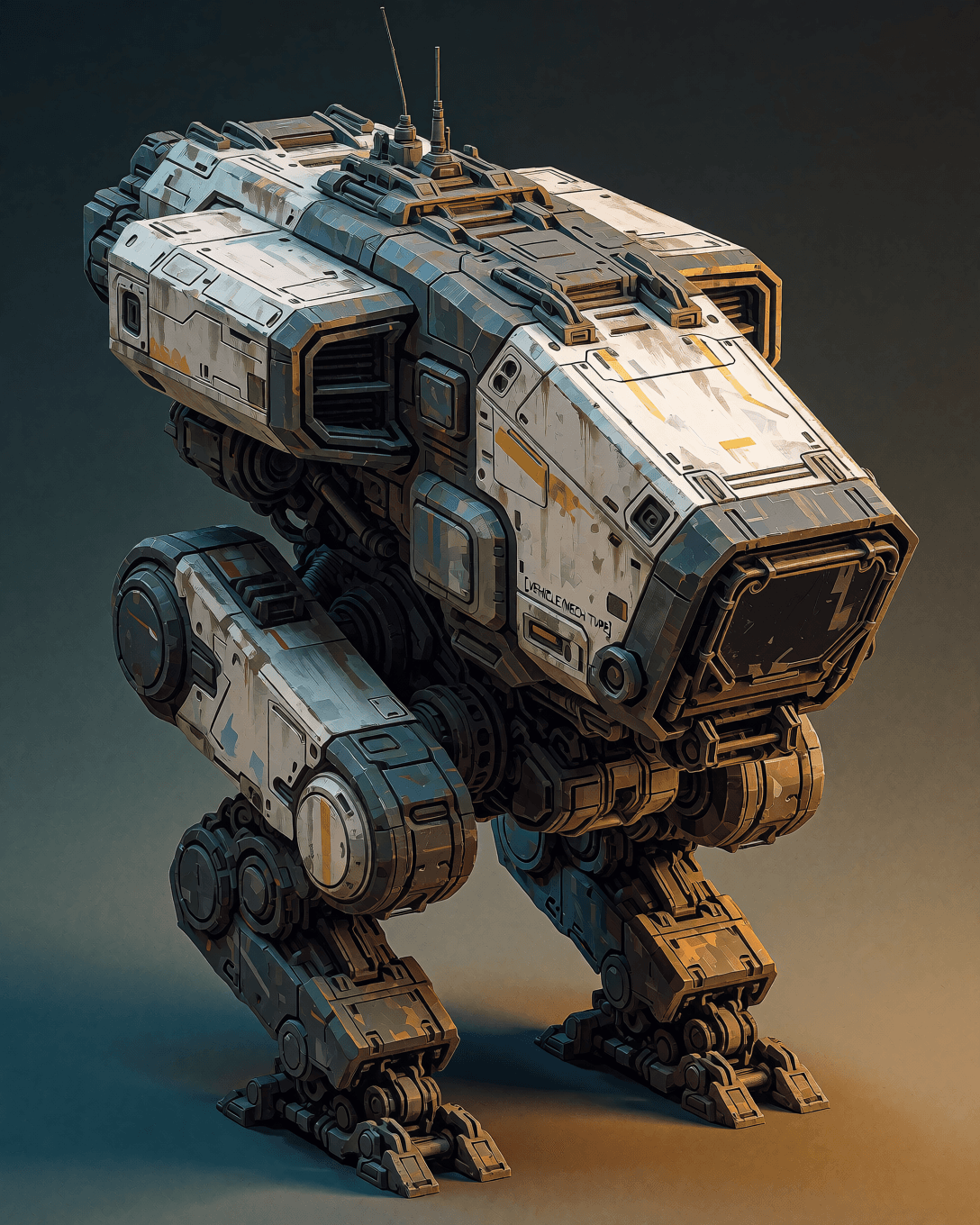
Made locally with Krea 2
Generated on the Inline Core engine, no cloud.
LoRA training
Your character, your style, your look
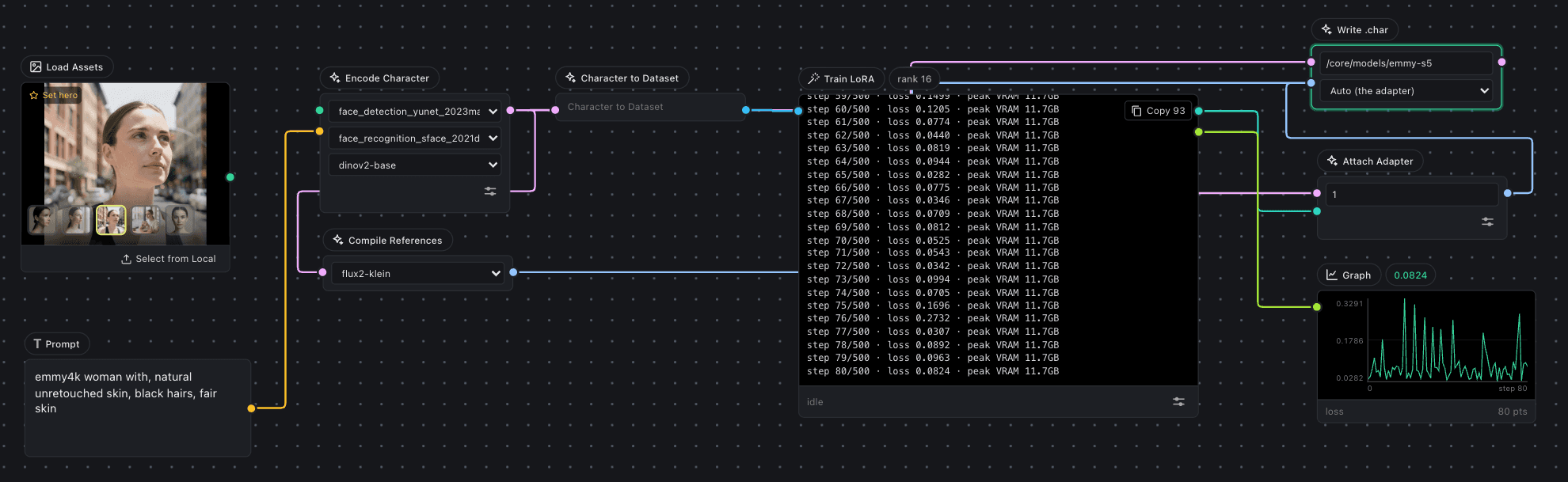
Keep a character consistent across shots, or lock in a custom visual style, by training your own model (a LoRA) right on the canvas. The Trainer tab turns a folder of images into a trained style without leaving the app. Wire Load Dataset into Caption into Train LoRA, watch the loss curve fall live, and the finished style saves straight to your models/loras folder, ready to drop onto the generation canvas.
- Load Dataset
- Caption
- Train LoRA
- Graph
- Resources
Per model: LTX-2.5 LoRA, Krea 2 LoRA, Z-Image LoRA, FLUX.2 LoRA, MiniMax H3 LoRA.
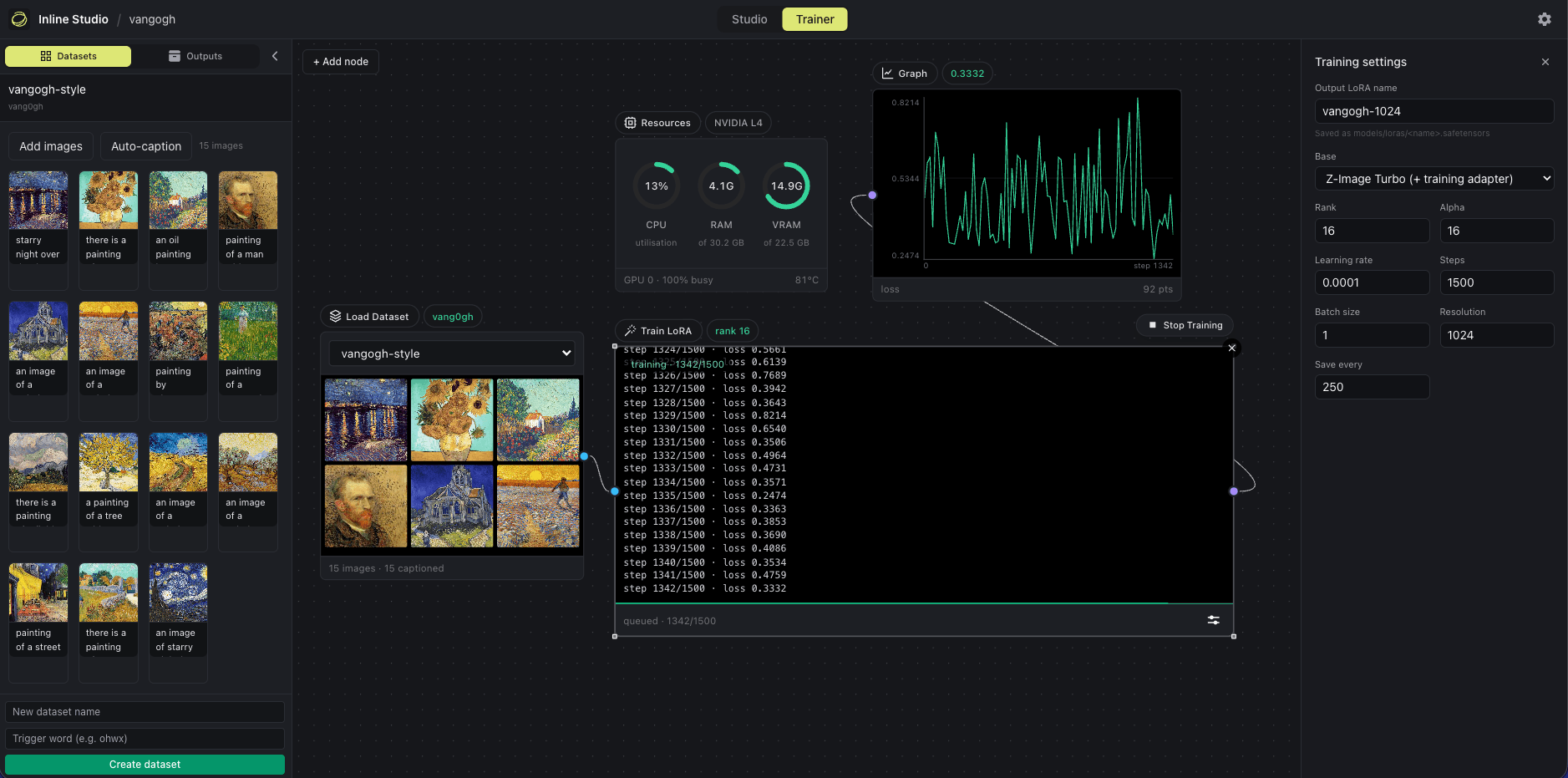
Training is just another graph
No scripts, no notebooks, no config files. Auto-caption a folder of images, wire the nodes, and hit Start. The Graph node plots loss step by step while a Resources monitor tracks CPU, RAM, and VRAM in real time.
Stop and resume, never restart
Stop a run and it flushes a checkpoint with the adapter weights, optimizer and RNG state, and step count all intact, so resuming picks up on the exact step you paused. Interrupted runs recover on their own.
Train on the base, generate on the fast one
Every architecture trains on an undistilled base, so the LoRA carries over to the distilled checkpoint unchanged. Set a trigger word and the finished file lands in models/loras, ready to prompt.
The three image models all train at 512px on a 16GB card, FLUX.2 in about 8.6GB. Measured peak VRAM for every model and card, and what each setting costs, is on the LoRA training guide.
Video, locally
Clips with sound, on your own GPU
Two open-weights video models run inside Inline Studio, and both generate a soundtrack in the same pass as the picture. No account, no per-second billing, no queue. A take is one MP4 with sound in it, ready for the timeline.
LTX-2.5
Lightricks' 22B open-weights model, in three nodes: text to video, image to video, and first-and-last frame. Two modes on each one, a fast distilled pass and a guided quality pass. It streams its own weights, so a card that cannot hold the model runs it slowly rather than refusing it.
MiniMax H3
A 33B model in four nodes, including a reference node that takes up to nine images, three clips and three audio references and lets you address them by position in the prompt. 24 fps between 5 and 15 seconds at a 768 pixel short edge.
Both train LoRAs locally too, on clips rather than stills, so an adapter can carry motion and not just look. What that costs on a real card.
Community extensions
Bring your own extension packs
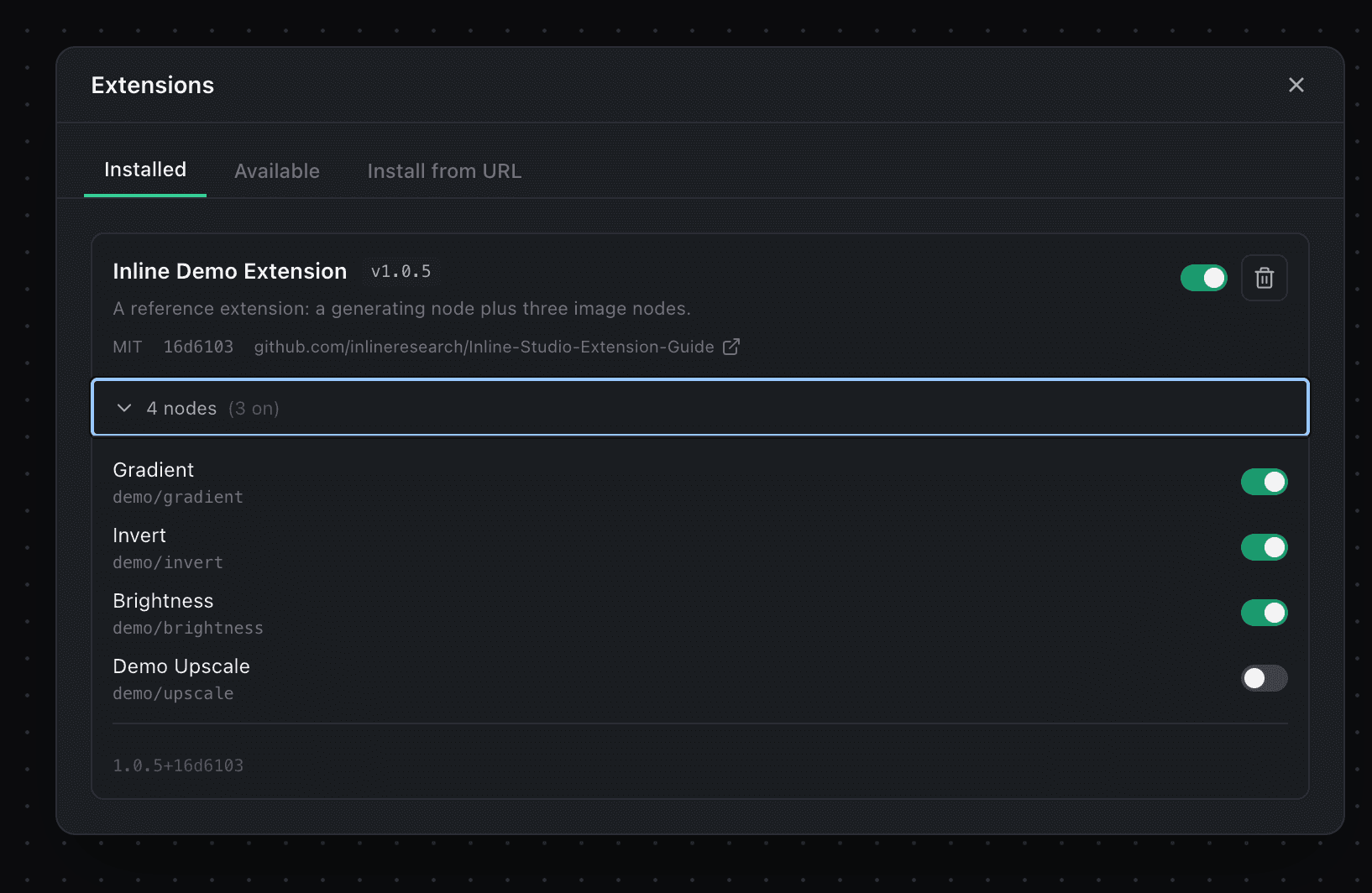
Nodes are not just what we ship. Bundle your own nodes into an extension pack and share it with the community, or install a published pack in one click from the registry. Its nodes drop straight onto your canvas.
- Browse and one-click install with Inline Registry
- Security scan built in
- Hot reload enabled
- Zero dependency conflicts
- Model aware
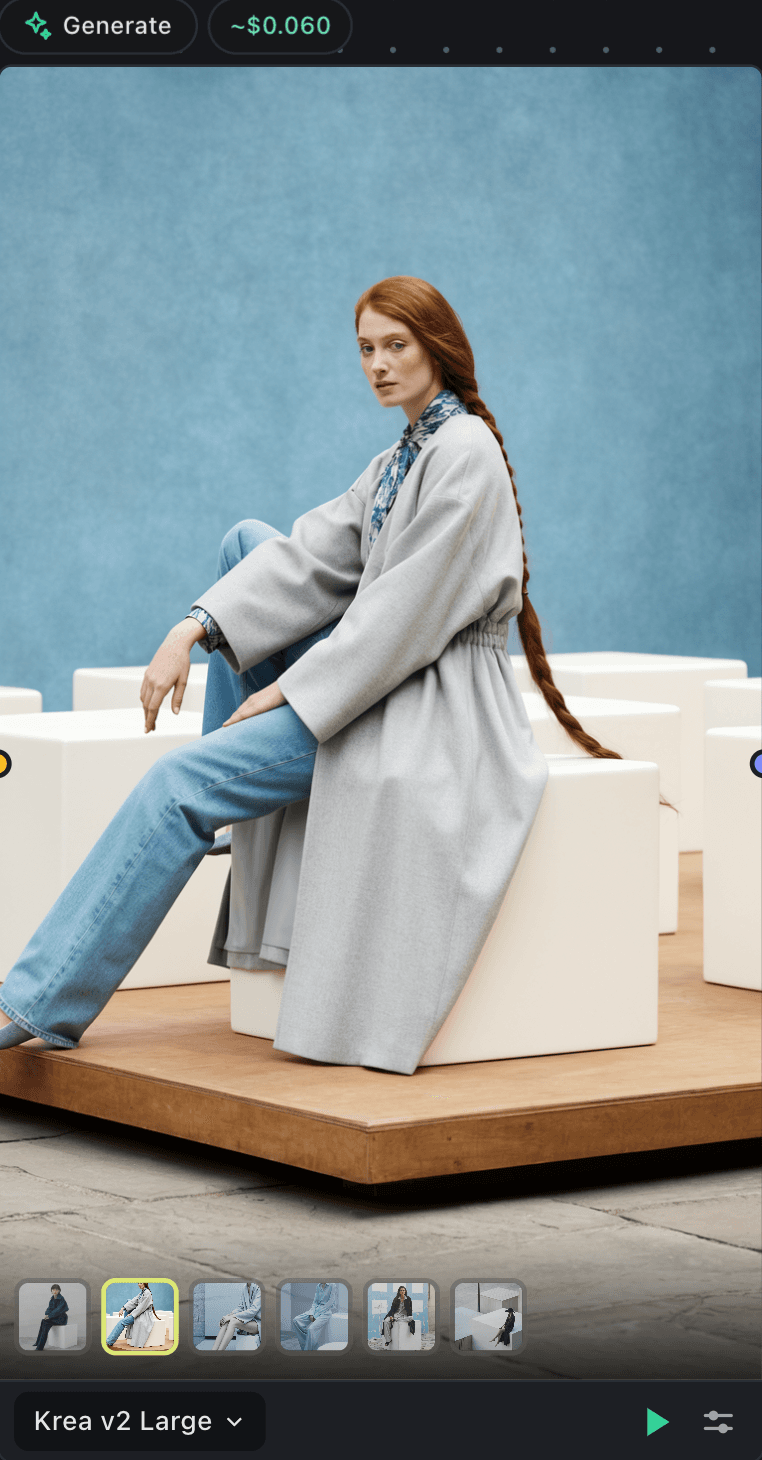
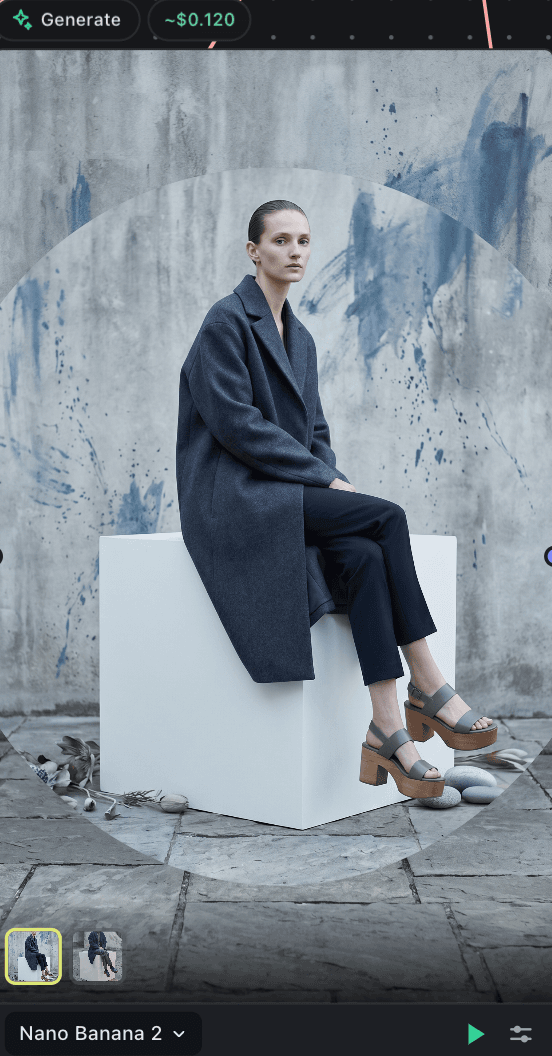
Hosted models, no GPU
API Nodes bring hosted, closed models onto the same canvas, with no GPU and no setup. Add a Generate node, pick a model, and bring your own provider key. It stays on your machine, and you pay the provider per render, with a rough price estimate on every node before you run. Mix hosted models with your local renders in the same film.
- Image
- GPT Image 2, Nano Banana, Krea (hosted)
- Video
- LTX, Seedance
- Audio
- Sonilo
From the community
Real builders, talking about Inline Studio
Unprompted reactions across Reddit, X, and the ComfyUI community.
“This is the part of open source you can’t fake. Someone wanted a tool that didn’t exist, built it on us, and gave it to everyone.”

“The frame/take model solves a real problem, especially for anyone doing narrative work where you’re juggling multiple versions and need to track what worked. Node graphs get messy fast once you’re thinking in sequences rather than single images.”
“…overall you’ve got a great style here, and the feeling is very tight.”
“It’s a neat concept for a process that you can clearly iterate on to improve. Seems way more useful than something like the Director node because you have way more options to think about the whole project.”
“I love this. The whole comfyui node based never sat with how I think and work. Will definitely explore.”
“A new tool called ‘Inline Studio’ for managing ComfyUI video production on a frame-by-frame basis is gaining attention. It’s well-received as a UI that complements traditional node management.”
“Assets, scenes, characters, cars, storyboards, final shots: organized in a versioned visual pipeline. Not just generation. Production structure.”
On the canvas
Assemble and edit, right on the canvas
Cut your sequence together and trim your clips without leaving Inline Studio. The timeline and the edit both live as nodes, wired into the same pipeline as everything else.
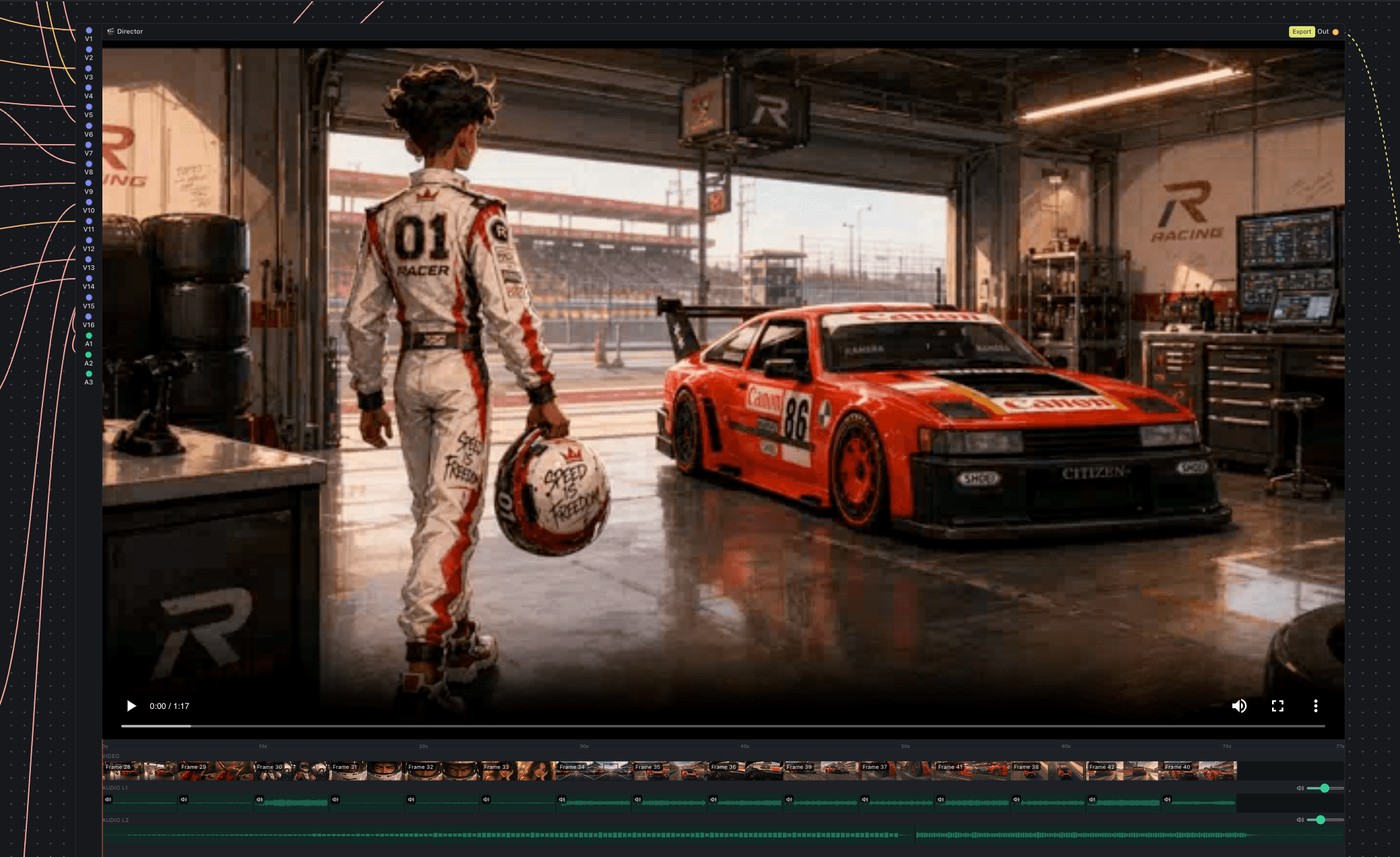
Video Director
A timeline-in-a-node that combines your rendered frames into a single cut. Wire unlimited frame outputs into it to build the video track, layer audio on top (your videos' own audio plus your own music or voiceover) with per-input and per-layer volume, scrub the in-node preview, and export the combined high-res video.
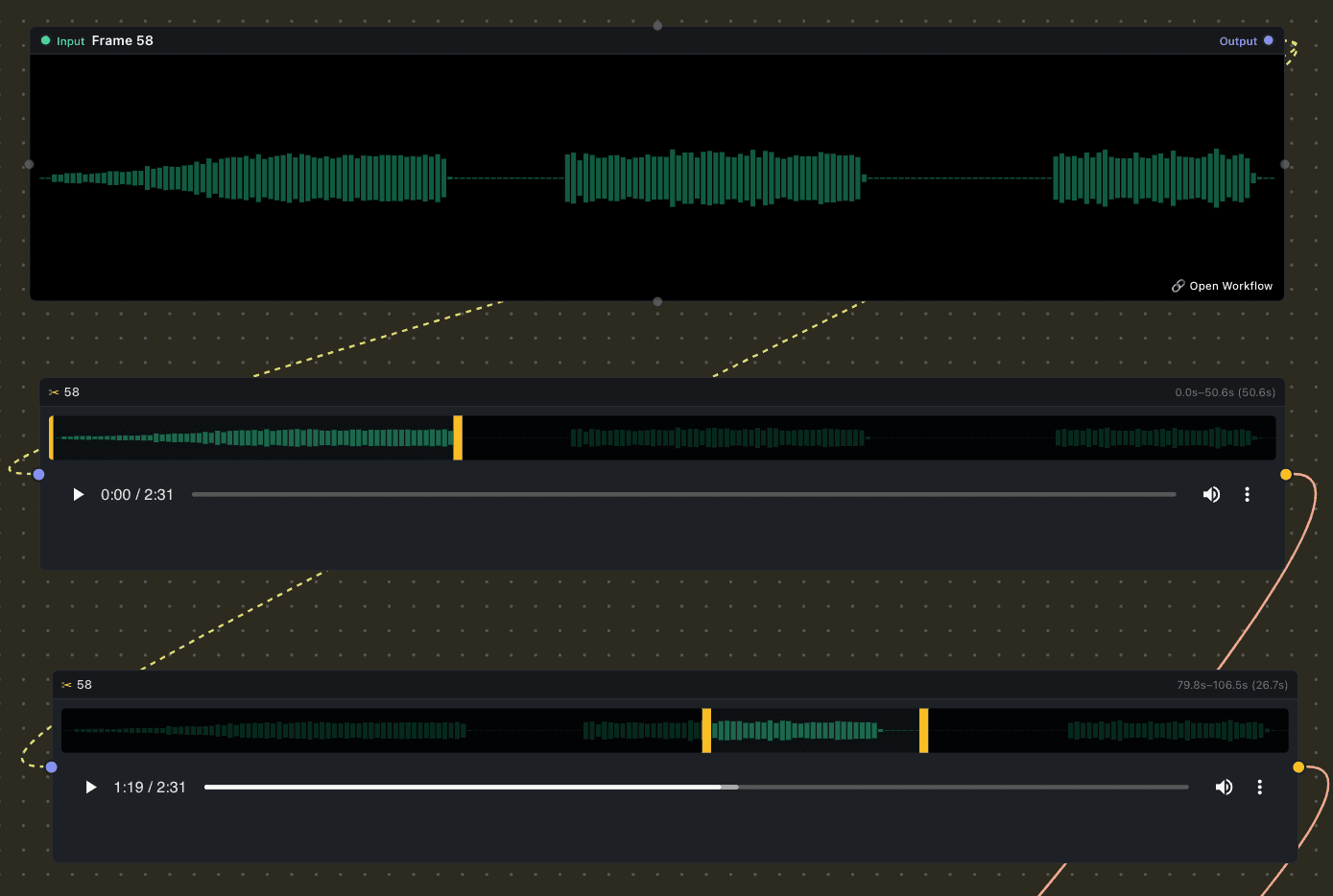
Trim Video/Audio
A simple trim node. Drop in a video or audio clip, drag the in/out handles over its filmstrip or waveform, and pass just the trimmed segment downstream to the director or preview node.
Install
Copy, paste, and it runs
One command sets up the engine, the model runtime, the trainer and the UI. On an NVIDIA machine it pulls the CUDA build of PyTorch for you.
- 01Python 3.11 or newer. No Node.
- 02NVIDIA on Linux or Windows is the tested path. CPU works, slowly.
- 03No downloads first. Grab checkpoints on first run.
- 04Leaves your other environments alone.
$ curl -LsSf https://astral.sh/uv/install.sh | sh$ git clone https://github.com/inlineresearch/Inline-Studio.git$ cd Inline-Studio/core$ ./webui.sh --install --extra all$ ./webui.shOn Windows use .\webui.bat in place of ./webui.sh, or just double-click it.
On an NVIDIA card the installer picks the CUDA build to match your GPU. If it gets that wrong, re-run with --torch-index cu130 and see the README's RTX 50-series section.
No GPU? Launch Inline Studio on RunPod
Frequently asked questions
New to Inline Studio? Read the getting-started guide →
Is Inline Studio free?
Yes. Inline Studio is free and open source under the GPL-3.0 license. There is no paid tier to use it, and nothing to buy.
Do I need a GPU?
Local generation runs on your own machine with the built-in Inline Core engine, which runs Z-Image Turbo, FLUX.2, Krea 2 and the MiniMax H3 and LTX-2.5 video models as core nodes, so a GPU makes it much faster. If you would rather not run models locally, API Nodes reach hosted models that run in the cloud and need no GPU at all.
Can I get the pipeline back out of an image?
Yes. Every image Inline Studio generates locally carries the graph that made it inside the PNG file. Drop that file back on the canvas and it offers to rebuild the pipeline: the nodes, the wiring, the prompt and the settings. Switching between a frame's earlier takes restores that take's prompt and settings too, so nothing you tried is lost.
Can I cut the finished video inside Inline Studio?
Yes. The Video Director node is a timeline in a node: wire any number of frame outputs into it to build the video track, layer audio on top with per-input and per-layer volume, scrub the preview, and export the combined high-res video. A Trim Video/Audio node trims clips over their filmstrip or waveform before they reach the director.
Is there a desktop app to install?
No. Inline Studio runs as a local app: one process serves a web UI that you open in your browser. You start it from the source on your own machine, so there is no installer to download. You need Python 3.11 or newer and uv, which the setup command uses to build the environment.
Can I add my own nodes?
Yes. Install community extensions from the registry in one click, or paste any GitHub repo URL. Every install is security-scanned, and each entry links back to its code. You can build your own with the extension guide.
Can I keep a character or style consistent across shots?
Yes. Train your own model (a LoRA) on a handful of images to lock in a character's face, a custom visual style, or a recurring look, then use it on every shot so they match. It trains on your own GPU on the Trainer canvas, and Krea 2 training fits a 16GB card.
Can I train my own LoRAs?
Yes. Inline Studio has a built-in LoRA trainer on a dedicated Trainer canvas. Create a dataset, auto-caption it locally, set a trigger word, then wire Load Dataset into Caption into Train LoRA to run the job on your own GPU, with a live loss curve and resumable checkpoints. Trained LoRAs save to your models/loras folder, ready to use on the generation canvas. Training needs a GPU and the training extra installed.