LoRA training
Train a LoRA locally, on your own GPU
Inline Studio has a built-in LoRA trainer for FLUX.2, Z-Image, Krea 2 and the MiniMax H3 and LTX-2.5 video models. Turn a folder of images into a trained model without scripts or notebooks, or train on video clips instead: a Clip LoRA learns look and motion together, and a Control LoRA learns a transform from paired clips. Free and open source. The three image models all fit a 16GB card at 512px, and FLUX.2 is the cheapest of them to train.
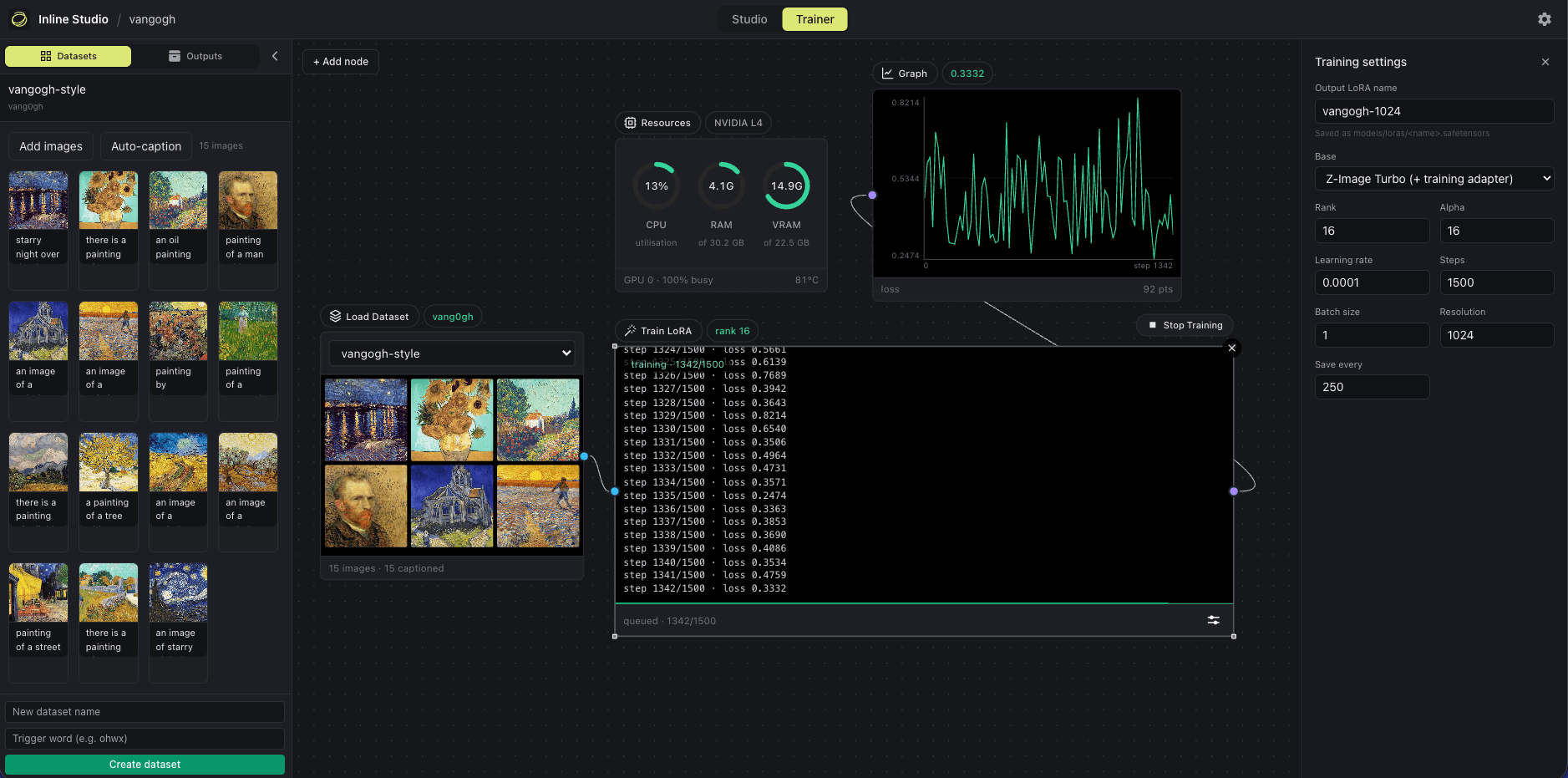
How to train a LoRA, step by step
- 1
Build a dataset
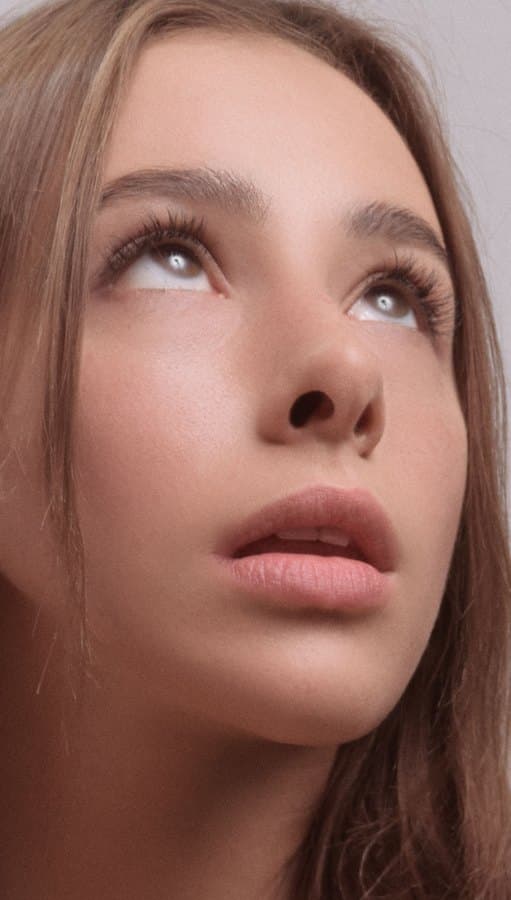
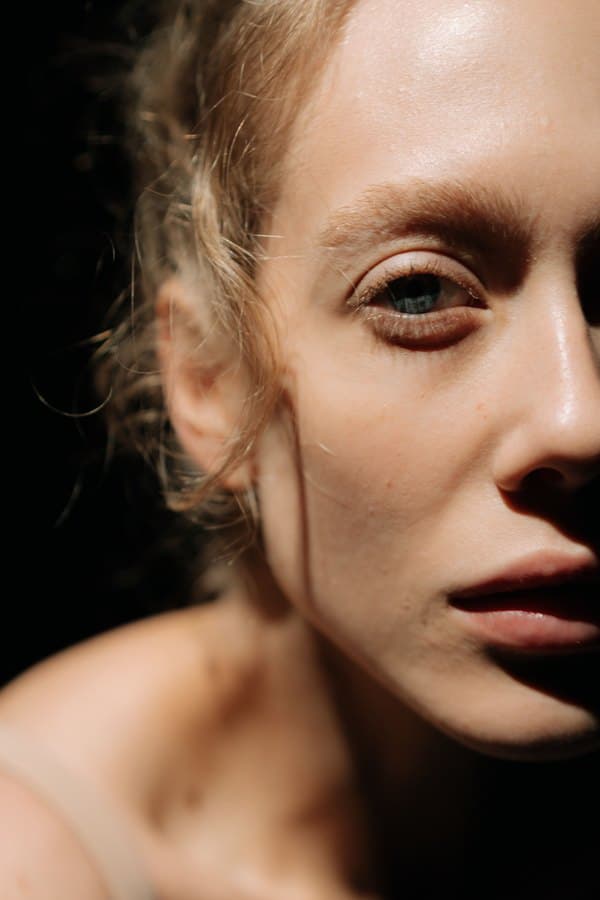
On the Trainer tab, create a dataset, give it a trigger word, and drag your images in. The skin LoRA used 26 close-up and half-face photos chosen for real, unretouched skin across tones, ages, and lighting. 20 to 50 is a good range: a single character wants fewer, a broad style wants more.
Download the dataset from Hugging Face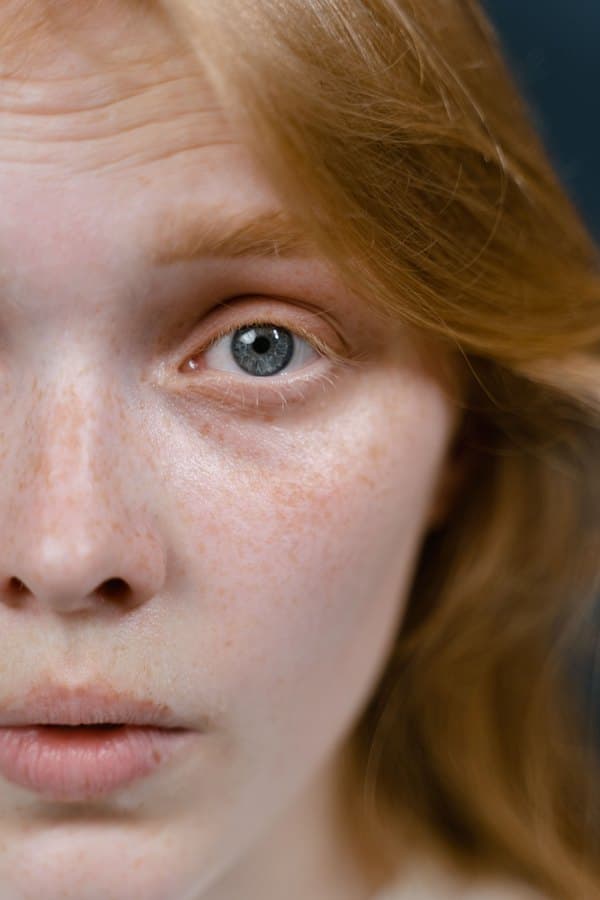
- 2
Caption the set
Every image gets a caption that starts with the trigger, then a shared phrase, then a plain description of the frame. Auto-caption locally or write them yourself. The trigger is prepended to each caption during training, so it becomes the switch that turns the style on at generation time.
image 1: inline-skin-lora, detailed skin texture, half-face close-up, bright red hair, very fair skin densely covered in freckles, blue-grey eye, pale lashes, cool tone, natural realistic texture, teal backgroundimage 2: inline-skin-lora, detailed skin texture, close-up of a young woman looking upward, warm tan skin, smooth dewy complexion, glossy highlight on the nose, brown hair, natural lips, subtle fine texture, soft flattering lightimage 3: inline-skin-lora, detailed skin texture, moody low-key half-face portrait, fair skin, blue eye, curly hair, glossy highlights on the nose and forehead, natural texture, deep shadow falling across the face, dark background - 3
Pick a model and base
Choose the architecture first (FLUX.2, Z-Image, Krea 2, MiniMax H3 or LTX-2.5), then a base within it. Every one trains on an undistilled base, because training on a step-distilled model breaks the distillation down. The skin LoRA trained on Krea 2 RAW and generates on Krea 2 Turbo. Leave base precision on Auto; the settings table below says what it picks.
- 4
Set the config and start
Wire the three nodes, set the config, and press Start. The skin LoRA used rank 16 at full scope (attention and feed-forward), alpha 16, 1500 steps, batch size 1, learning rate 1e-4, at 1024px, with caption dropout 0.05, no flip, and a checkpoint every 250 steps. The Graph node plots the loss live, a Resources monitor tracks VRAM, and a stopped run flushes a checkpoint so you can resume.
[ Load Dataset ] --> [ Caption ] --> [ Train LoRA ] --> [ Graph ] | +--> Resources (VRAM monitor) - 5
Generate with your LoRA
The finished LoRA lands in your models/loras folder, ready to drop onto the generation canvas with a LoRA loader node. Prompt with the trigger phrase and generate on Krea 2 Turbo at 28 steps, guidance 4.5. To try this exact one first, download it from Hugging Face and drop the file into models/loras.
Download the skin LoRA from Hugging Face
FLUX.2, Z-Image, Krea 2, MiniMax H3 and LTX-2.5
Pick the architecture in the Trainer's Adjust panel, then a base within it. Each one trains on an undistilled base and the LoRA carries over to the fast checkpoint unchanged.
LTX-2.5 (video and audio)
The 22B open-weights video model, trained on clips. A Clip LoRA learns look and motion; a Control LoRA learns a transform from paired clips. Neither touches the audio branch. Needs a 48GB card.
LTX-2.5 LoRA guideFLUX.2 (cheapest)
klein Base 4B is the only base the trainer accepts, and it refuses a distilled checkpoint up front. About 8.6GB at 512px and 9.9GB at 1024px, so both fit a 16GB card.
FLUX.2 LoRA guideKrea 2
Train on the undistilled RAW base, then generate with Krea 2 Turbo. A 4-bit base makes the 26GB model fit a 16GB card at 512px, about 12GB peak. If you only hold Turbo, add the Krea 2 training adapter.
Krea 2 LoRA guideZ-Image Turbo
Keep the 8-step speed with the Turbo training adapter, or switch to De-Turbo with nothing extra to download. Trains at 512px in about 13GB, so it fits a modest card.
Z-Image LoRA guideMiniMax H3 (video)
The video model. Train on stills for look and style, or on clips to learn motion as well. Both write the same adapter, and it applies to all four H3 nodes. 4-bit only, peaking around 20.6GB.
MiniMax H3 LoRA guideA real example: the skin LoRA
Our first published LoRA was trained here on Krea 2 RAW from 26 images. It brings back real pores, fine hair, and natural texture across skin tones, ages, and lighting. Both the LoRA and the dataset it trained on are free to download.
Click to zoom
The recipe
The exact settings behind these renders.
- Base model
- Krea 2 RAW (bf16), carries over to Turbo
- Base precision
- Auto (4-bit on 16GB, full precision on 32GB+)
- CPU offload
- Auto
- Method
- LoRA (PEFT)
- Rank / alpha
- 16 / 16
- Scope
- Full (attention + feed-forward)
- Steps / batch
- 1500 / 1
- Learning rate
- 1e-4
- Resolution
- 1024px
- Caption dropout
- 0.05, no flip augmentation
- Checkpoint every
- 250 steps
- Dataset
- 26 image and caption pairs
- Trigger
- inline-skin-lora, detailed skin texture
- Generation
- Krea 2 Turbo, 28 steps, guidance 4.5
How it holds up
The same LoRA across six conditions: three in the close-up framing it trained on, three well outside it. Texture holds in all six.
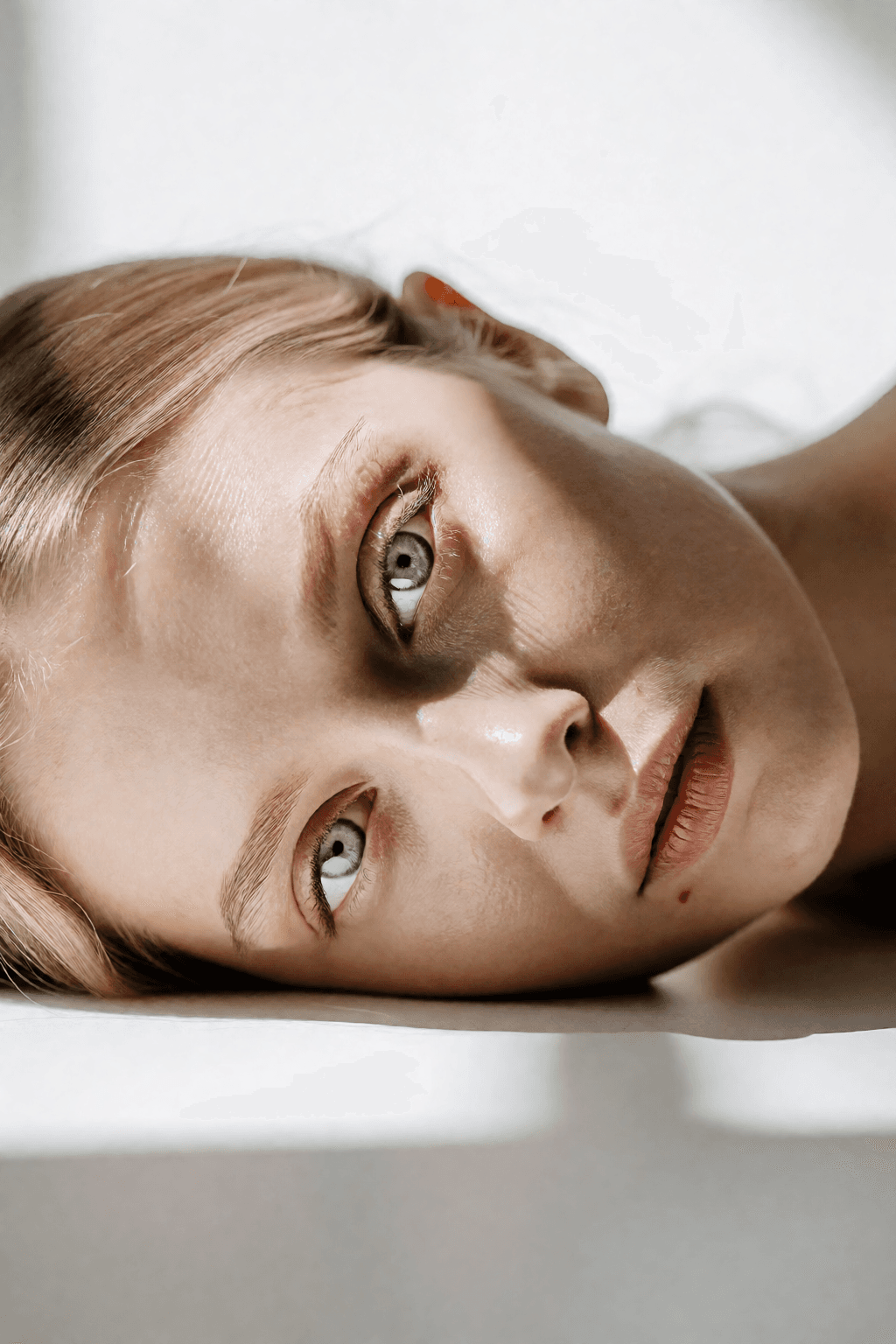
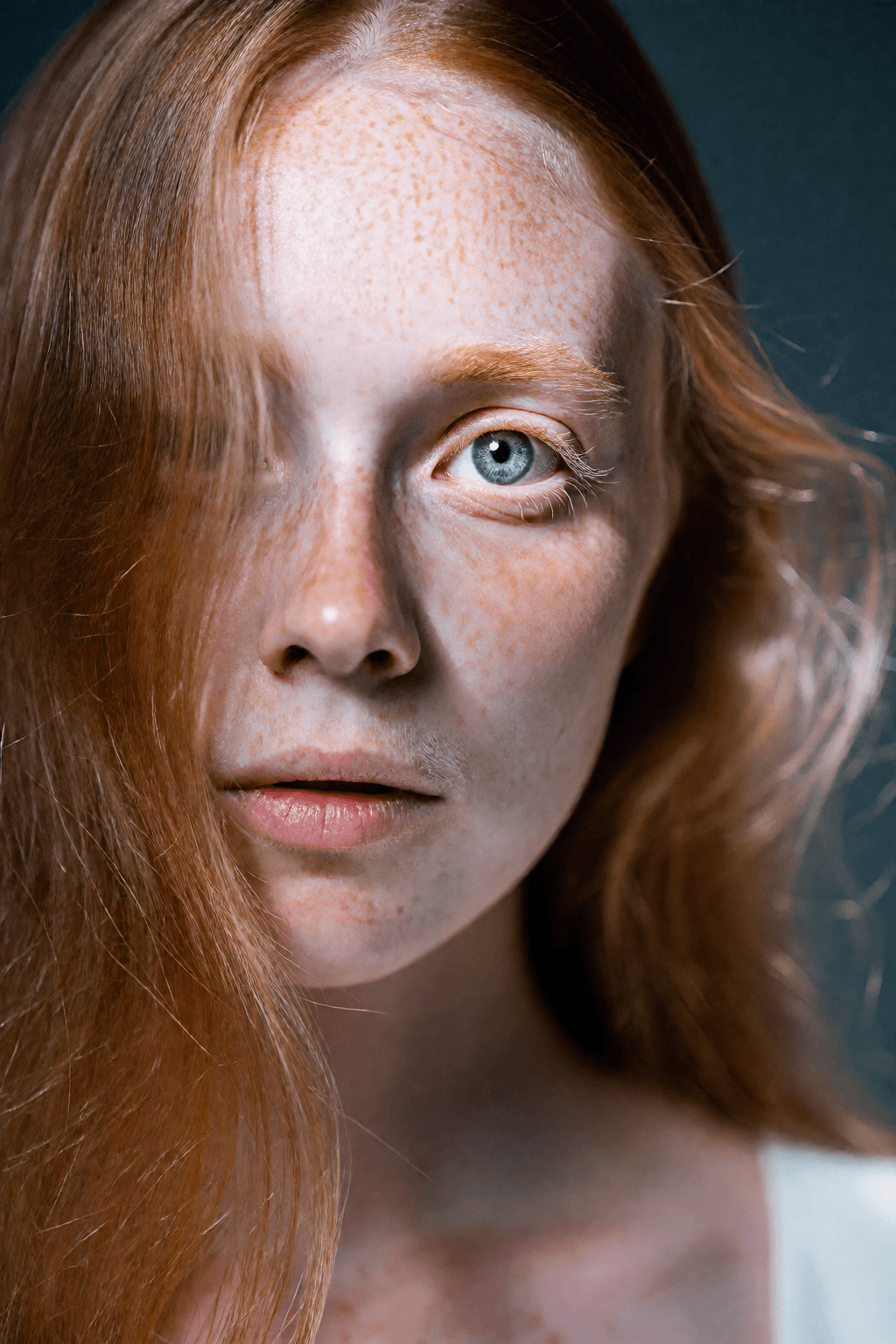
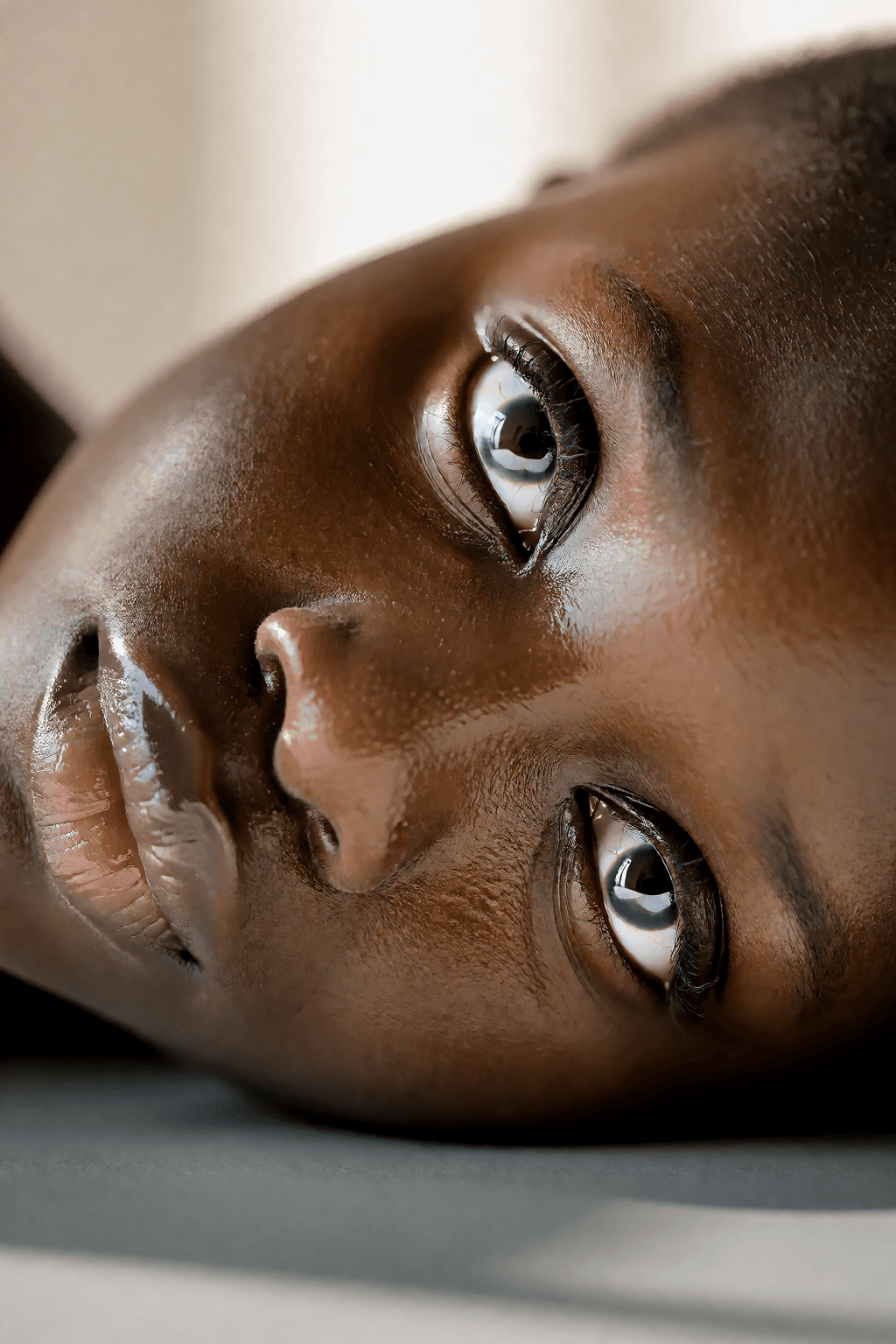
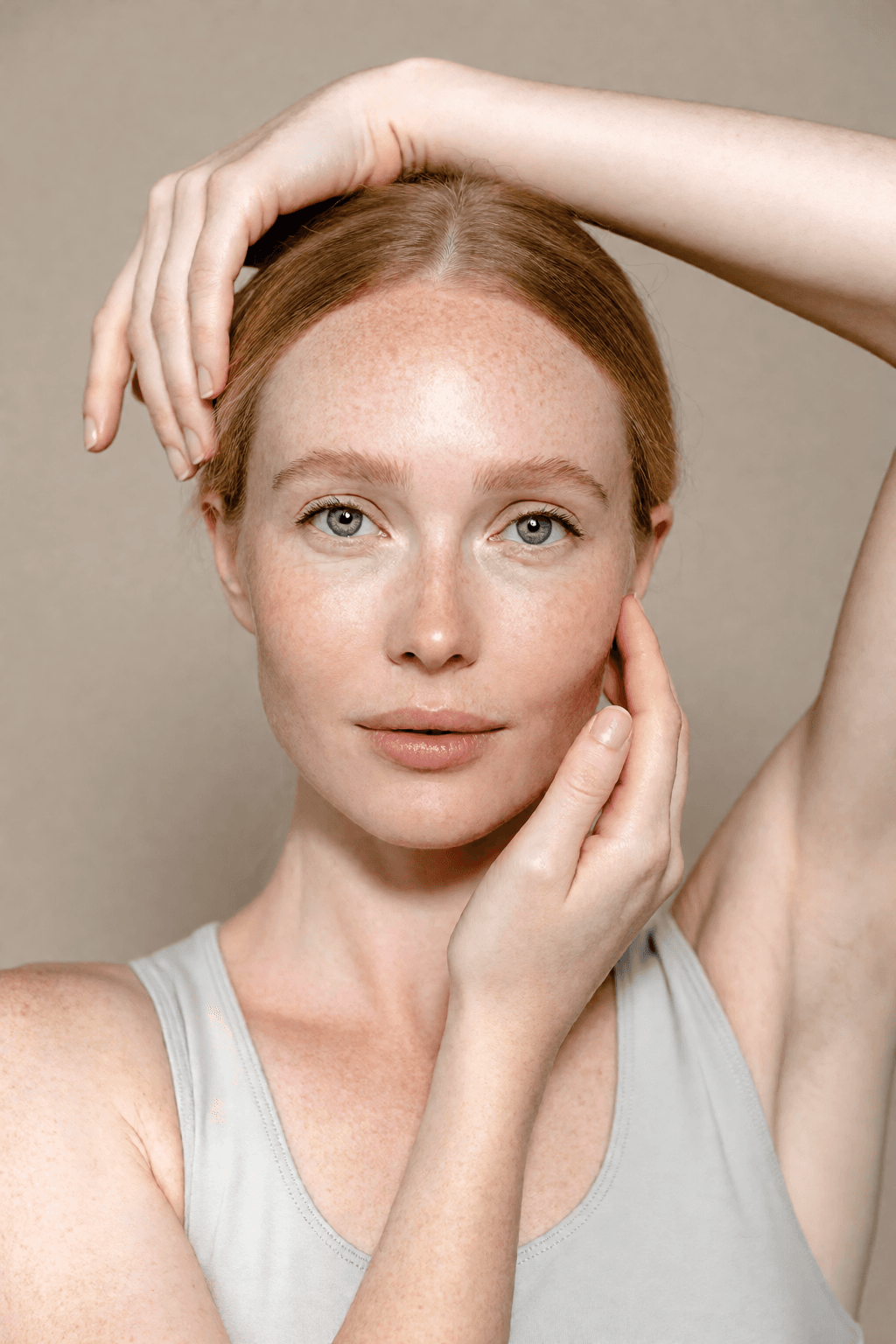
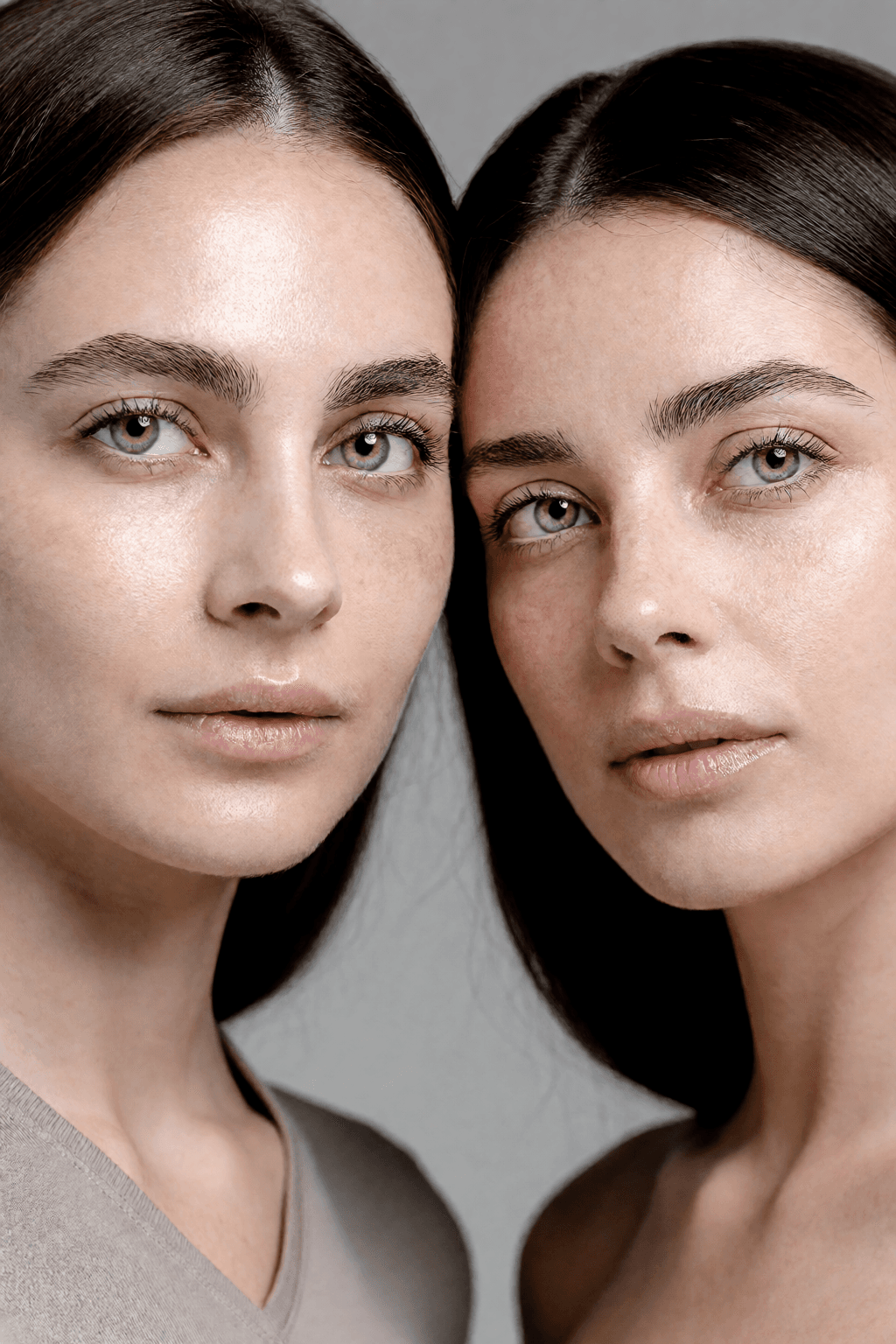
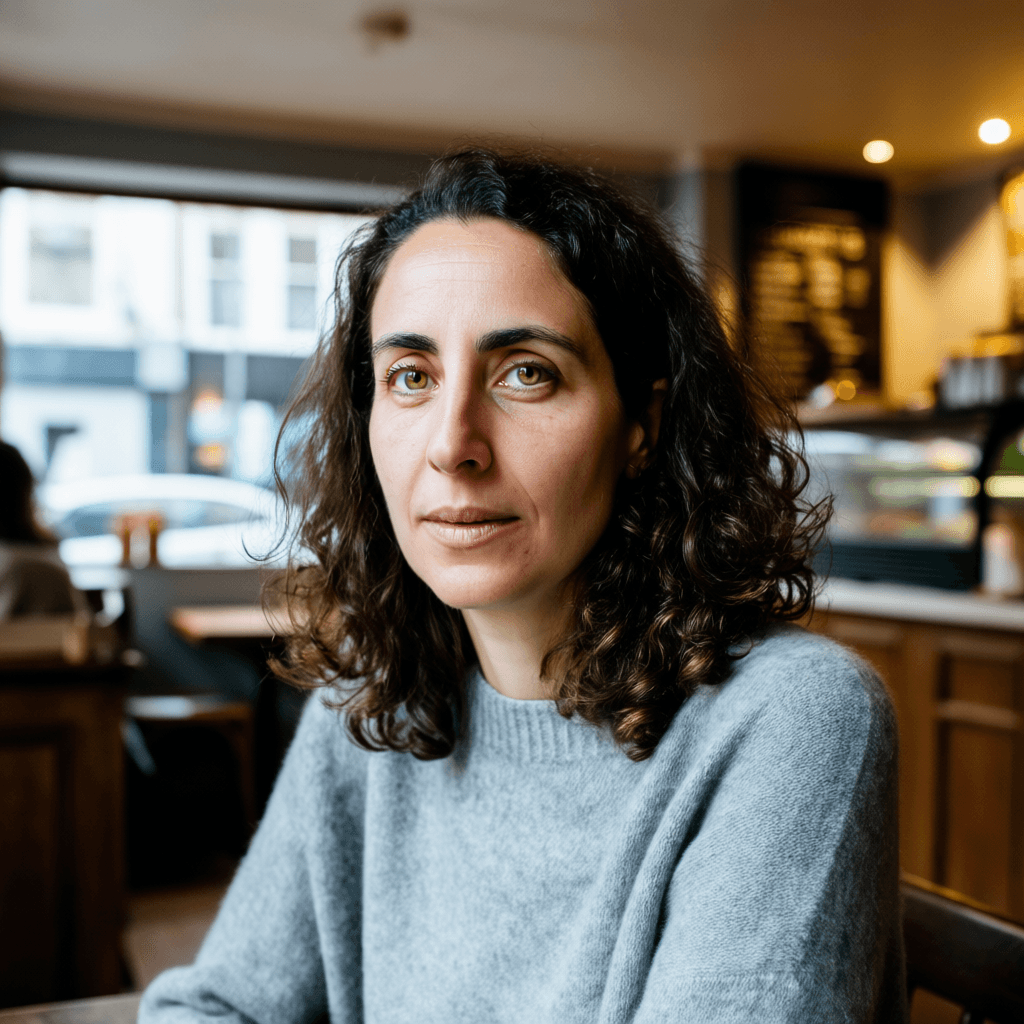
One limit worth prompting around, visible above: framing pulls toward head-and-shoulders unless you ask for something wider. The model card has the full write-up.
or grab the training dataset.
LoRA training VRAM, measured
What fits on which card, so you know before you start.
| Model and resolution | Fits 16GB? | Peak VRAM |
|---|---|---|
| FLUX.2 (klein Base 4B), 512px | Yes | ~8.6GB |
| FLUX.2 (klein Base 4B), 1024px | Yes | ~9.9GB |
| Z-Image, 512px | Yes | ~13GB |
| Z-Image, 1024px | No, needs 24GB | ~15GB |
| Krea 2 (4-bit base), 512px | Yes | ~12GB |
| Krea 2 (4-bit base), 1024px | No, needs 32GB | ~28GB |
| MiniMax H3 (4-bit base), any resolution | Yes, slowly | ~20.6GB |
| MiniMax H3 (4-bit base), clips to 4.5s | Yes, slowly | ~20.4GB |
| LTX-2.5 (dev base), clips at 512px | No, needs 48GB | ~42GB |
Peak allocation on a Tesla T4 (16GB) and L40S, rank 16, batch 1, gradient checkpointing on. The FLUX.2 rows were measured on the L40S and interpolated to 16GB. MiniMax H3 was measured on an L40S, an L4 and a T4. Every resolution reads the same because the peak is the caption pass rather than the training, and so do clips: a 4.5s clip packs 8,232 rows against a still's 293 and still peaks at 20.4GB. A card too small for the 32B conditioner runs it on the CPU instead, which drops the peak to 12.7GB but costs 16.2s a step and a 19 minute caption pass. LTX-2.5 was measured on the L40S only: its 22B base is 38GB at bf16 with no 4-bit path to fall back on, so it needs a 48GB card and a 24GB one will not do. Leave headroom for your GPU's context. A LoRA trained at 512 still applies at any generation resolution. See the full matrix.
Recommended settings for 512px
- Resolution
- 512 to fit a 16GB card. A LoRA trained at 512 still applies at any generation resolution. FLUX.2 is cheap enough that 1024 also fits, at about 9.9GB.
- Base precision (Krea 2)
- 4-bit for a 16GB card (about 12GB peak), or full precision on 32GB and up. Auto picks for you.
- Base precision (FLUX.2)
- Leave it on Auto, which stays at bf16. 4-bit gains nothing here and costs about 10 percent a step, because the peak sits in the caption and latent caching pass rather than in the transformer.
- Rank and alpha
- 16 for a single subject, 32 for a style. Keep alpha equal to rank.
- Steps
- 1000 to 1500 is enough for strong likeness, roughly 30 to 40 steps per image.
- Learning rate
- 1e-4 is the standard starting point for a LoRA.
LoRA training FAQ
Which base models can I train a LoRA for?
FLUX.2, Z-Image, Krea 2, MiniMax H3 and LTX-2.5. For FLUX.2, klein Base 4B is the only accepted base, and you generate with the distilled klein 4B. For Krea 2, train on the undistilled RAW base and generate with Krea 2 Turbo. For Z-Image, train with the Turbo training adapter to keep its 8-step speed, or in De-Turbo mode with nothing extra to download. In every case the LoRA carries over to the fast checkpoint unchanged.
How much VRAM does LoRA training need?
FLUX.2 klein Base trains at 512px in about 8.6GB and at 1024px in about 9.9GB. Z-Image trains at 512px in about 13GB and at 1024px in about 15GB. Krea 2 with a 4-bit base trains at 512px in about 12GB and at 1024px in about 28GB. These are measured peak allocations at rank 16, on a Tesla T4 and an L40S.
Does a 4-bit base always save VRAM?
No. It is the difference between Krea 2 fitting a 16GB card and not, but it does nothing for FLUX.2 and costs about 10 percent a step there, because klein Base is smaller than its own text encoder and the peak sits in the caption and latent caching pass instead of the transformer. Z-Image has no 4-bit path and does not need one, MiniMax H3 is 4-bit only because its base is 40GB, and LTX-2.5 has no 4-bit path at all, which is why it needs a 48GB card. Leaving base precision on Auto picks correctly for all of them.
Do I need to write captions?
No. You can auto-caption the dataset locally, or turn captions off and rely on the trigger word alone, which works well for a single subject. The trigger word is prepended to every caption during training.
Can I stop and resume a training run?
Yes. Stopping flushes a checkpoint with the adapter weights, optimizer and RNG state, and step count, so resuming continues from the exact step you paused. Runs interrupted by a crash recover on their own.
Train your first LoRA
Free and open source. Runs on macOS, Windows, and Linux.